
AIShot
AvailableAI Screen Assistant
Select part of the screen with Ctrl+PrintScreen, and AI explains it out loud. In Watcher mode it keeps an eye on the screen for you and alerts you when the thing you are waiting for happens.
Screenshots
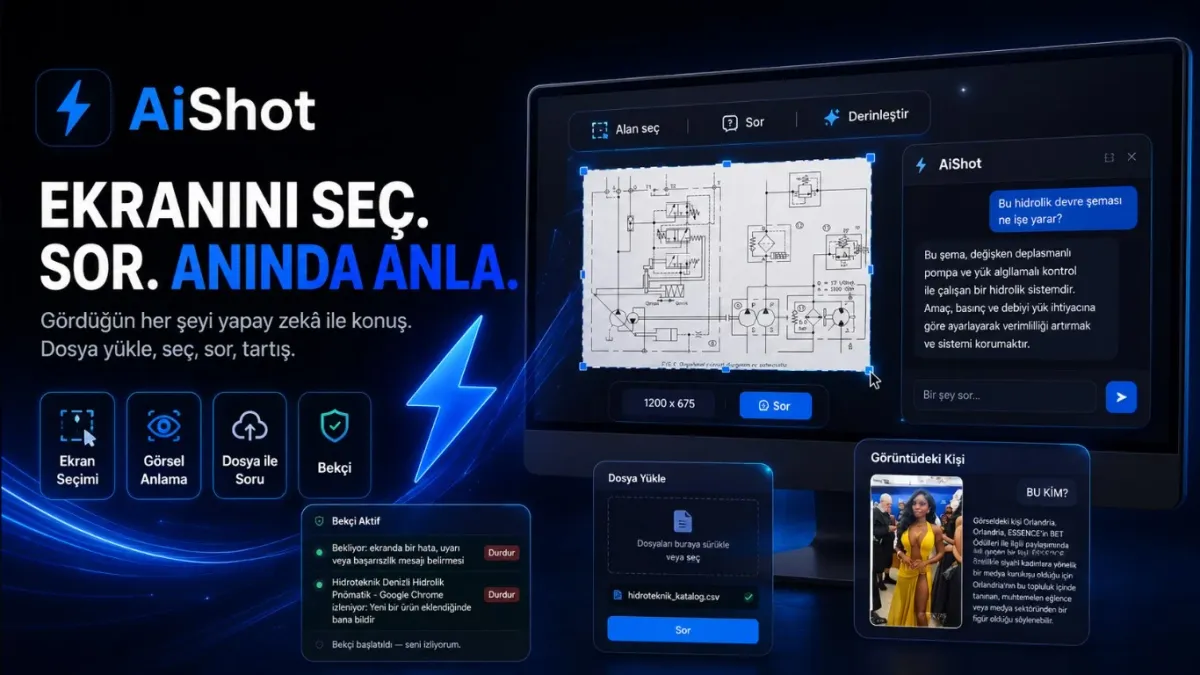

Understanding an error message, a diagram, or a table on screen usually means taking a screenshot and sending it to someone. AIShot removes that step: select the region with Ctrl+PrintScreen, AI interprets it, the answer is read aloud, and you keep chatting on top. With vision-capable models the image itself is understood; with others, the text is read on your computer (OCR).
Watcher mode takes the waiting off your hands: it watches the screen or a single window and, when the thing you expect happens - setup finished, an error appeared, it reached 100% - it alerts you with sound and a notification. Watching runs locally with on-device text recognition.
Paste an image from anywhere with Ctrl+V; attach images, PDF, Word, Excel, and text files. Upload an installation guide and ask "according to this guide, where should I click on screen". Sessions persist across restarts; Ctrl+Shift+Space toggles the panel.
It works with your own AI key: Gemini, Groq, OpenRouter, DeepSeek, OpenAI, or any OpenAI-compatible service. The key is encrypted with Windows DPAPI and never shown again; requests go straight to the provider. A daily call limit guards against runaway spending. The app is free with no account; the interface is Turkish and English.
Highlights
- Select a region, AI interprets it and reads it aloud
- Watcher mode: watches the screen, alerts on the expected event
- Vision-capable models or local OCR
- Paste images with Ctrl+V; attach PDF, Word, Excel, text
- Persistent sessions, panel hotkey
- Bring your own key: Gemini, Groq, OpenRouter, DeepSeek, OpenAI
- Key encrypted with DPAPI; free, no account