Cylinder Design & Quotation Engine
In internal useFrom drawing to quote for hydraulic cylinders
AI reads the customer’s cylinder drawing, a rule engine picks the parts with a reason for each and checks force and buckling; the same definition produces the dimension drawing, the STEP file, and the SolidWorks model.
Screenshots
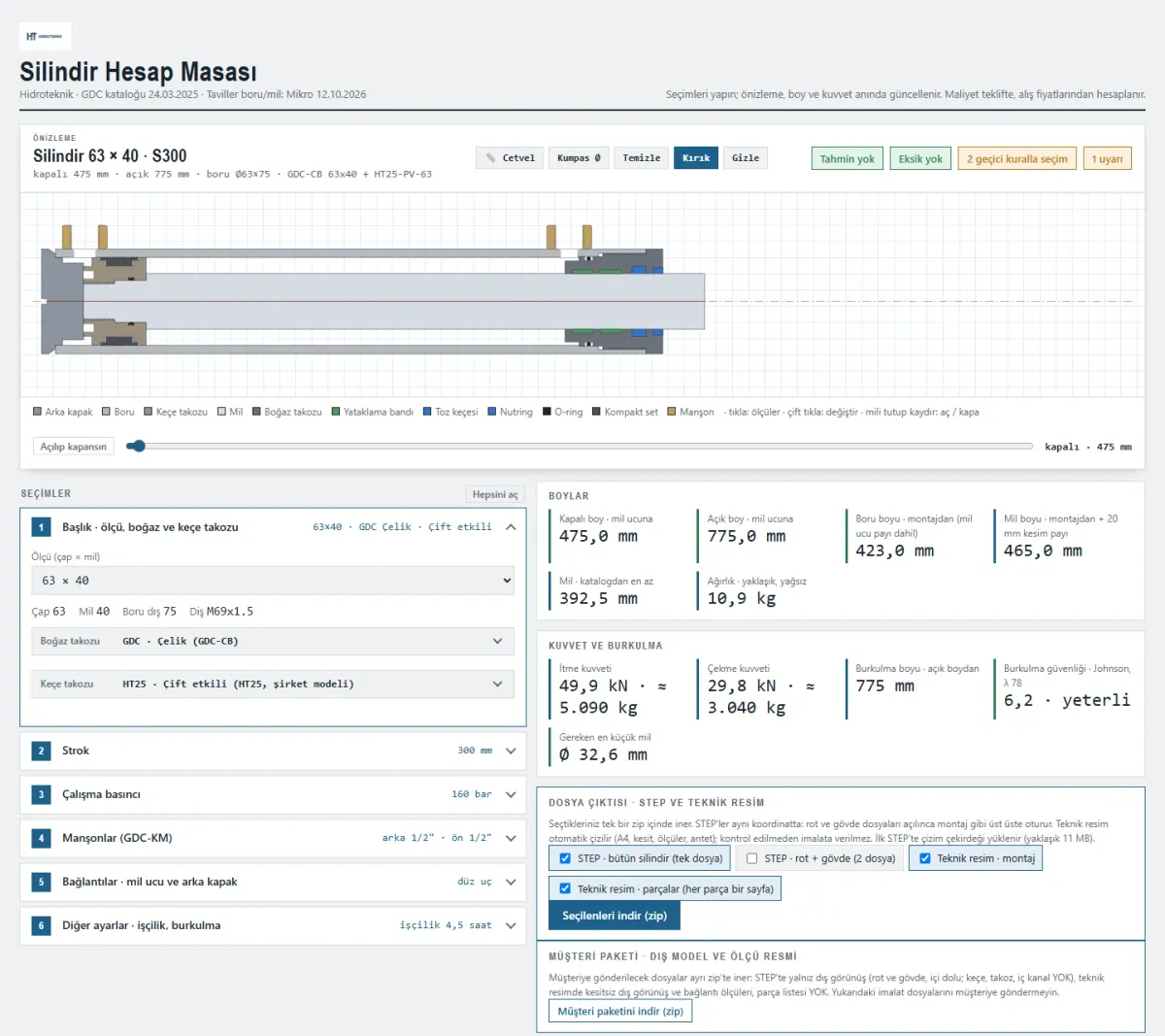
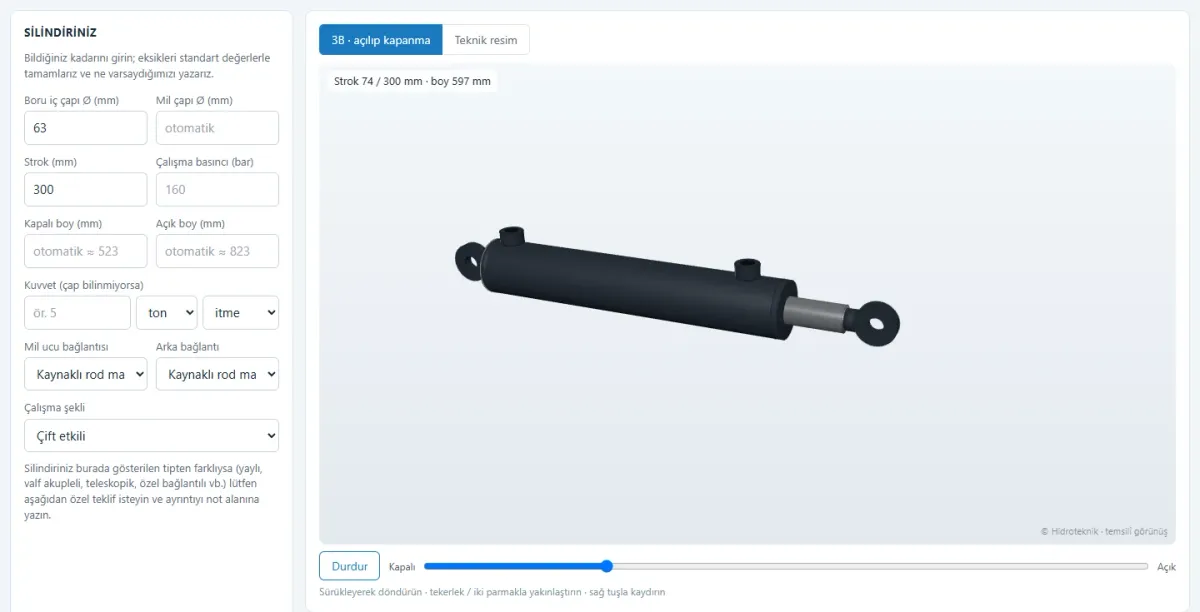
Quoting a custom hydraulic cylinder used to mean reading the customer’s drawing by hand, picking matching parts from the catalog, checking force and buckling, working out the cost, and then modelling it separately in SolidWorks. In this system, all of it derives from a single cylinder definition.
With "Fill from drawing", the customer’s drawing (PDF or image) is uploaded and AI reads only the dimensions actually written on it: bore, rod, stroke, mounting types, oil ports, working pressure. Evidence is shown for every value, and anything uncertain is listed separately. AI does not choose parts: the readings are matched to the catalog and each field is marked "ok", "close", or "check"; the final call belongs to the engineer.
In the Cylinder Desk, the rule engine picks the piston, gland, tube, and rod from the catalog and writes down the reason for each choice. Force and Euler buckling checks, port and oil-hole sizing from flow, rod-end and rear-mount attachments, trunnions, piping, and paint are the same engine’s job. Missing items and warnings get their own sections; the parts list goes to production, and the customer package (outer model and dimension drawing) goes to the customer.
On the desktop, a Windows program draws the selected cylinder in SolidWorks as parts and an assembly by itself, and batch-converts folders of SolidWorks files to STEP. A simplified public version of the same engine runs on our e-commerce site: customers enter what they know, the system fills in the rest and tells them, in plain words, which assumptions it made.
Highlights
- Fill from drawing: AI reads dimensions with evidence
- Rule engine: parts from the catalog, every choice explained
- Force and Euler buckling checks
- Port, attachment, trunnion, piping, and paint selection
- Parts list for production, dimension drawing and STEP for the customer
- Automatic part and assembly modelling in SolidWorks
- Public cylinder design tool