
CHEVIR
Coming soonCall assistant: live translation and prompter
You speak your language, the other side hears theirs. The prompter listens to the call and gives you tips while you talk. Works in WhatsApp, Zoom, Teams, and browser calls, without changing settings in those apps.
Screenshots
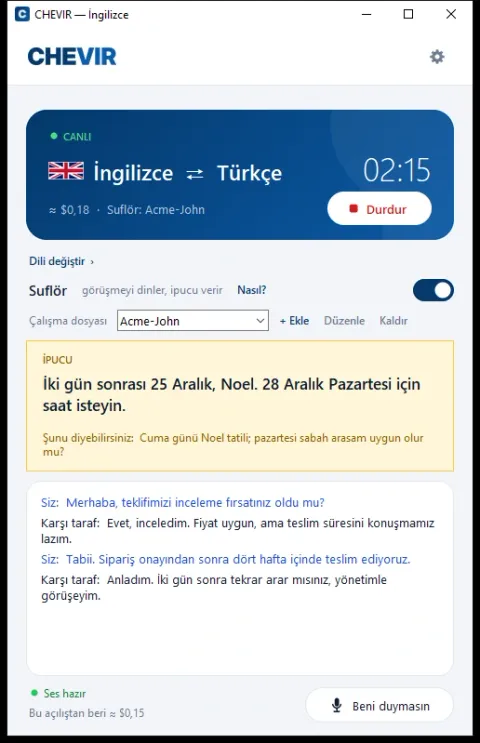
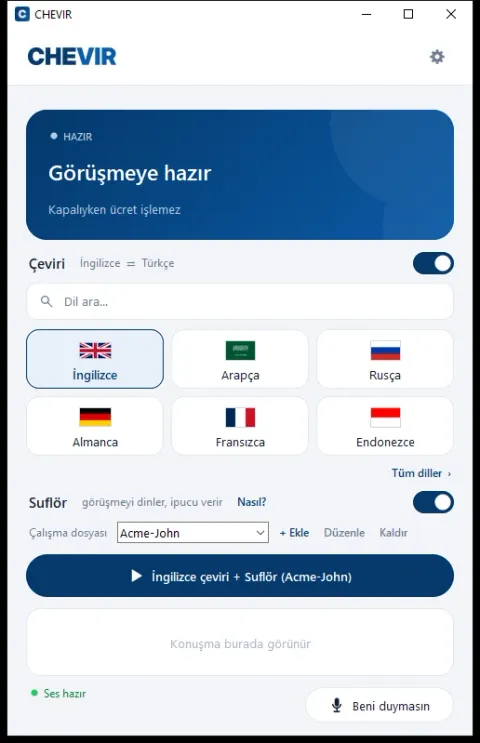
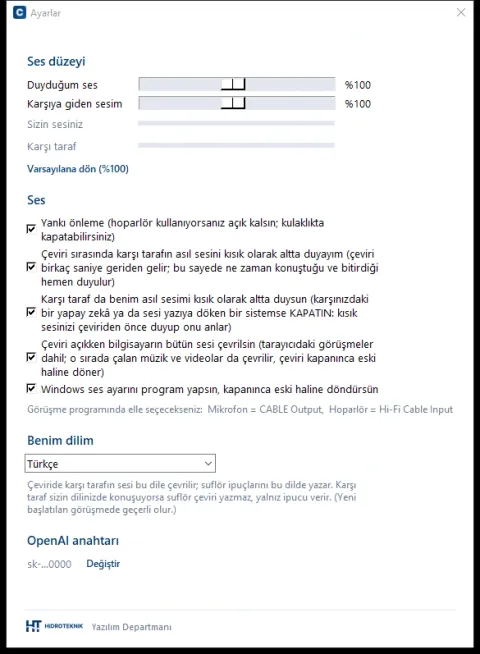
At most companies, a phone call with a foreign customer means an interpreter or broken English. CHEVIR places an invisible interpreter in between: your calling app notices nothing, you speak your own language, the other side hears you in theirs, and what they say is translated back into your language. We use it in our own office in real calls with customers speaking Arabic, English, and French.
While translation is on, all sound on the computer goes through CHEVIR, so it makes no difference whether the call is in WhatsApp, Zoom, Teams, or the browser. Choose the other side’s language and press Start; you can switch language mid-call. 57 languages are available, and the system recognizes whatever language the other side speaks. The original voice is played quietly under the translation: you hear at once who is speaking and when they finish, so the conversation keeps its natural rhythm.
The prompter works like the one in a theater: it listens to the call and shows short tips on screen. It reminds you of something you forgot to ask, a date conflict ("two days from now is a public holiday"), or a fact from your notes, right when you need it. You tell it what it should know in a small text file: who you are talking to, what the offer was, what you want from this call. The prompter works together with translation or on its own, even between two people who speak the same language.
There is no account and no subscription. You enter your own OpenAI key; usage is billed per minute directly to your OpenAI account, and nothing is charged while stopped. Audio is processed only after you press Start; while translation and the prompter are off, nothing is sent anywhere.
Voice translation needs two free virtual audio cables by VB-Audio (VB-CABLE and HiFi Cable); the prompter works without them. The interface is available in English and Turkish.
Highlights
- Two-way live voice translation, 57 languages
- Works with WhatsApp, Zoom, Teams, and browser calls, no setup in those apps
- Prompter: on-screen tips and a suggested sentence during the call
- Working file: give the prompter your notes for the call
- Original voice plays quietly underneath, the talk flows naturally
- Echo control even on speakers (smart echo gate)
- Your own OpenAI key; no account, no subscription
- Nothing is sent while stopped; English and Turkish interface